A useful support-training scenario is more than a polished screenshot. It gives a learner enough context to make a decision, shows the consequence of that decision, and creates a repeatable way for a coach to discuss what happened. A chat simulator is helpful because it turns an abstract policy into a sequence of messages that feels concrete without exposing a real customer conversation.
This guide explains how to design original practice material for onboarding, quality calibration, escalation training, and product-change preparation. The goal is not to imitate a private record. Every identity, order number, account detail, and outcome should be fictional or safely anonymized, and the exercise should be labeled as training material.
Before building the exercise, review the Chat Simulator editor so the script matches the available identity, timestamp, playback, and export controls.
1. Start with one observable learning objective
Write the objective as a behavior that a coach can see. “Improve empathy” is too broad; “acknowledge the customer’s concern before requesting diagnostic information” is observable. A focused objective keeps the script short and makes feedback fair.
One scenario should normally assess one primary skill and, at most, one supporting skill. If it tries to test tone, policy recall, technical troubleshooting, billing judgment, and escalation at the same time, a learner cannot tell which decision mattered.
- Identify the target role and experience level.
- Name the decision the learner must make.
- Define what a successful response contains.
- Choose evidence the reviewer will record.
2. Build a believable but fictional customer context
Give the customer a clear goal, a small amount of relevant history, and an emotional state that fits the situation. Include only facts the support representative would genuinely know at that point. Missing information can become part of the exercise, but it should be intentional.
Use invented names, non-routable addresses, impossible account identifiers, and fictional products when practical. Never paste a real ticket into a public or shared simulator. Even after names are removed, combinations of dates, locations, purchases, and unusual events can identify someone.
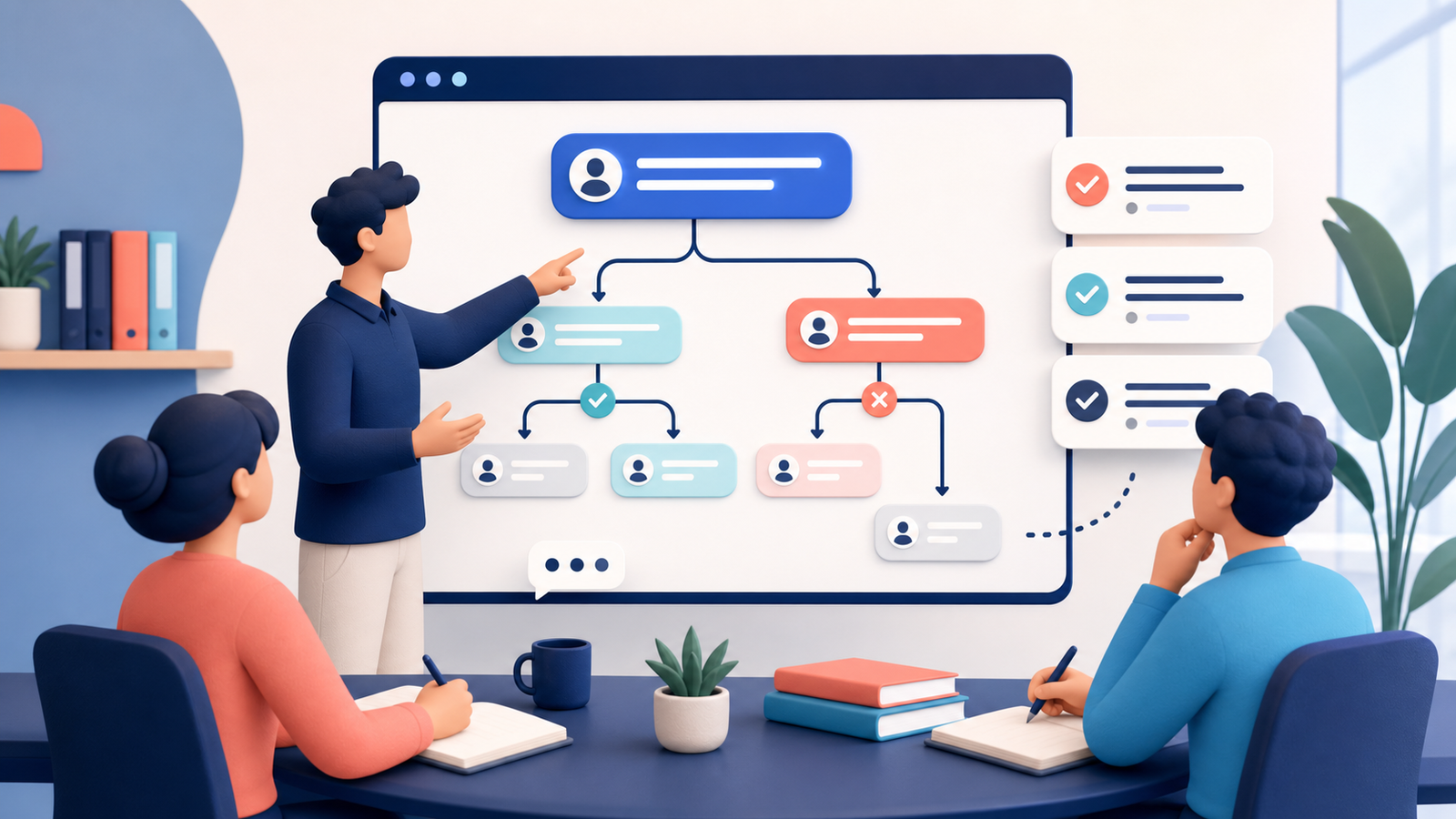
3. Map the conversation before writing dialogue
Outline the opening, information-gathering step, decision point, resolution, and closing. This simple map prevents the script from becoming a long exchange with no instructional purpose. It also makes it easier to create alternative versions for different skill levels.
A branch should represent a meaningful choice, not a trick. For example, the learner may troubleshoot, ask a clarifying question, explain a limitation, or escalate. Each branch should have a plausible customer response and a clear coaching point.
- Opening: establish the request and tone.
- Discovery: reveal only the information needed for the decision.
- Decision: present the moment where the learner chooses an action.
- Consequence: show how the customer or system responds.
- Close: confirm the next step and ownership.
4. Write messages that sound natural and remain teachable
Keep each message focused on one idea. Real support conversations contain fragments and pauses, but adding every hesitation can make training material difficult to scan. Use enough realism to support the decision while removing noise that does not affect the lesson.
Avoid creating an obviously unreasonable customer merely to make the correct answer easy. Good practice material respects the customer’s perspective and separates a legitimate concern from abusive behavior. When a boundary is required, explain what the representative can offer next.
5. Use timestamps and pacing as evidence
Timestamps can show whether the representative allowed time for a step, followed up after an interruption, or left the customer waiting without an update. Set them deliberately and keep them chronological. Do not claim that simulated response times represent actual service performance.
During playback, check whether important instructions remain visible long enough to read. If the learner needs to compare several details, divide the information across messages or provide a separate reference card instead of shrinking the text.
6. Create facilitator notes and a scoring rubric
The visible chat is only the learner-facing layer. A facilitator also needs the objective, expected evidence, common mistakes, optional prompts, and a debrief question. Without these notes, two coaches may grade the same response very differently.
Use a short rubric with observable criteria. A simple scale such as missing, partial, and complete is often more useful than a ten-point score. Record why a response met the standard so later calibration discussions use evidence rather than preference.
- Accuracy: advice matches the current policy or product.
- Clarity: the next step and owner are explicit.
- Tone: language acknowledges the concern without making unsupported promises.
- Safety: personal data and sensitive details are handled correctly.
- Closure: the customer knows what will happen and when.
7. Pilot the scenario before using it at scale
Ask one experienced representative and one person closer to the target learner level to complete the exercise. If both misunderstand the setup, revise the context rather than treating confusion as failure. Time the exercise and note where participants request information the script never provides.
Pilot feedback should improve the learning design, not make the simulated chat look more like a real private record. Check accessibility, reading order, terminology, and export size alongside instructional accuracy.
8. Review results and maintain the material
After a session, compare which decisions caused difficulty and whether the rubric captured them. Repeated failure may reveal a training gap, but it can also indicate outdated documentation, unclear product behavior, or an unrealistic scenario.
Assign an owner and review date. Update or retire scenarios when policies, interfaces, prices, or escalation paths change. A smaller library of current, well-explained exercises is more valuable than a large archive of stale examples.
Frequently asked questions
Can a simulated conversation replace supervised practice? No. It is a structured rehearsal tool. Sensitive or high-impact support work still needs current documentation, qualified supervision, and appropriate system training.
Should learners see every branch? Usually not during the first attempt. Reveal alternatives during the debrief so the learner can compare consequences without turning the exercise into a guessing game.
Can real tickets be adapted? Only with proper authorization and strong anonymization. Rewriting a common pattern from scratch is often safer and produces clearer teaching material.
Final review checklist
- The objective is observable and limited in scope.
- All people, identifiers, and events are fictional or safely authorized.
- The decision point and consequence are understandable.
- Messages, timestamps, and layout are easy to read.
- The rubric uses evidence rather than personal preference.
- The asset is labeled as a training simulation.
- An owner and review date are recorded.